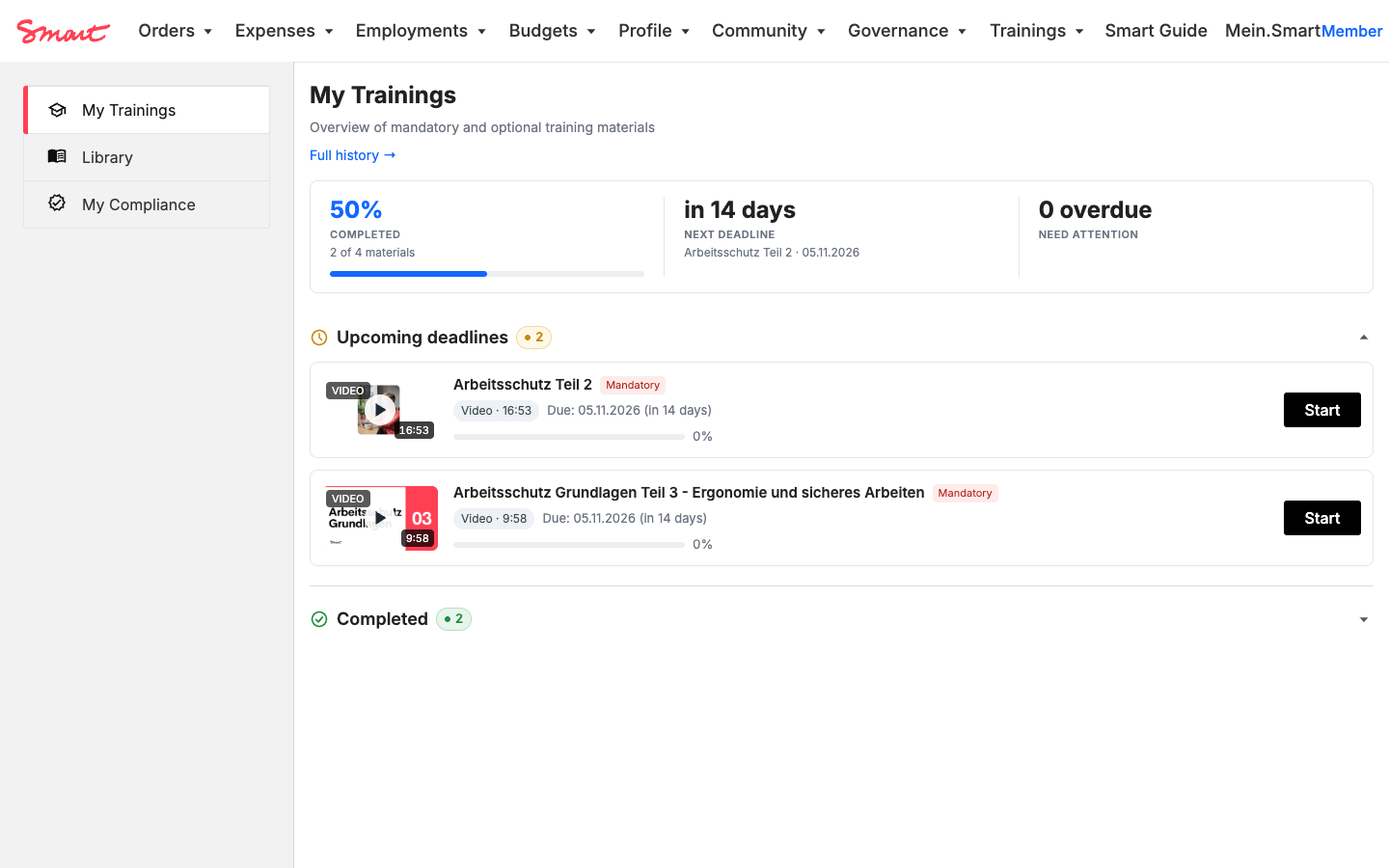
4. Finish a video with a knowledge check
Importing...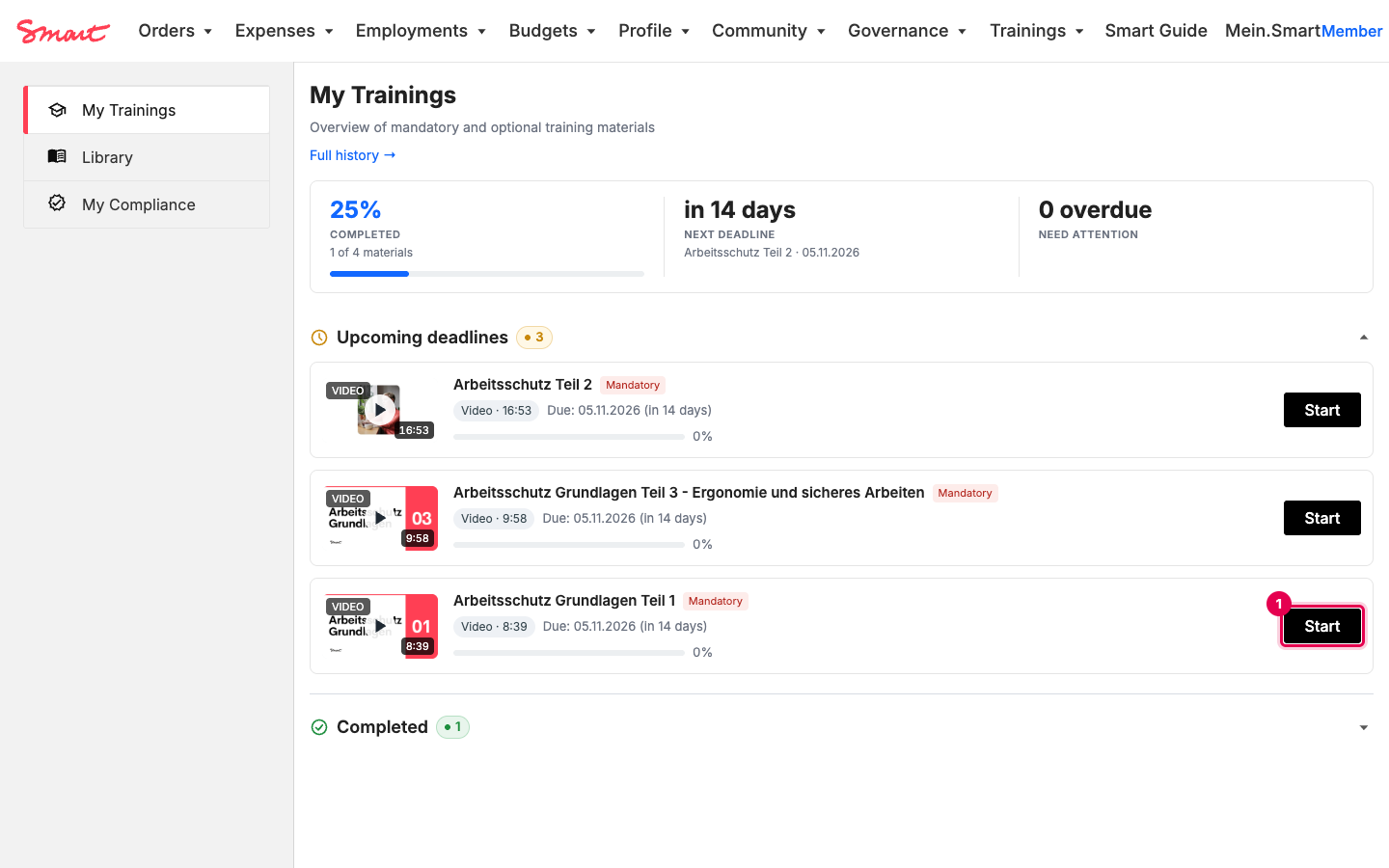
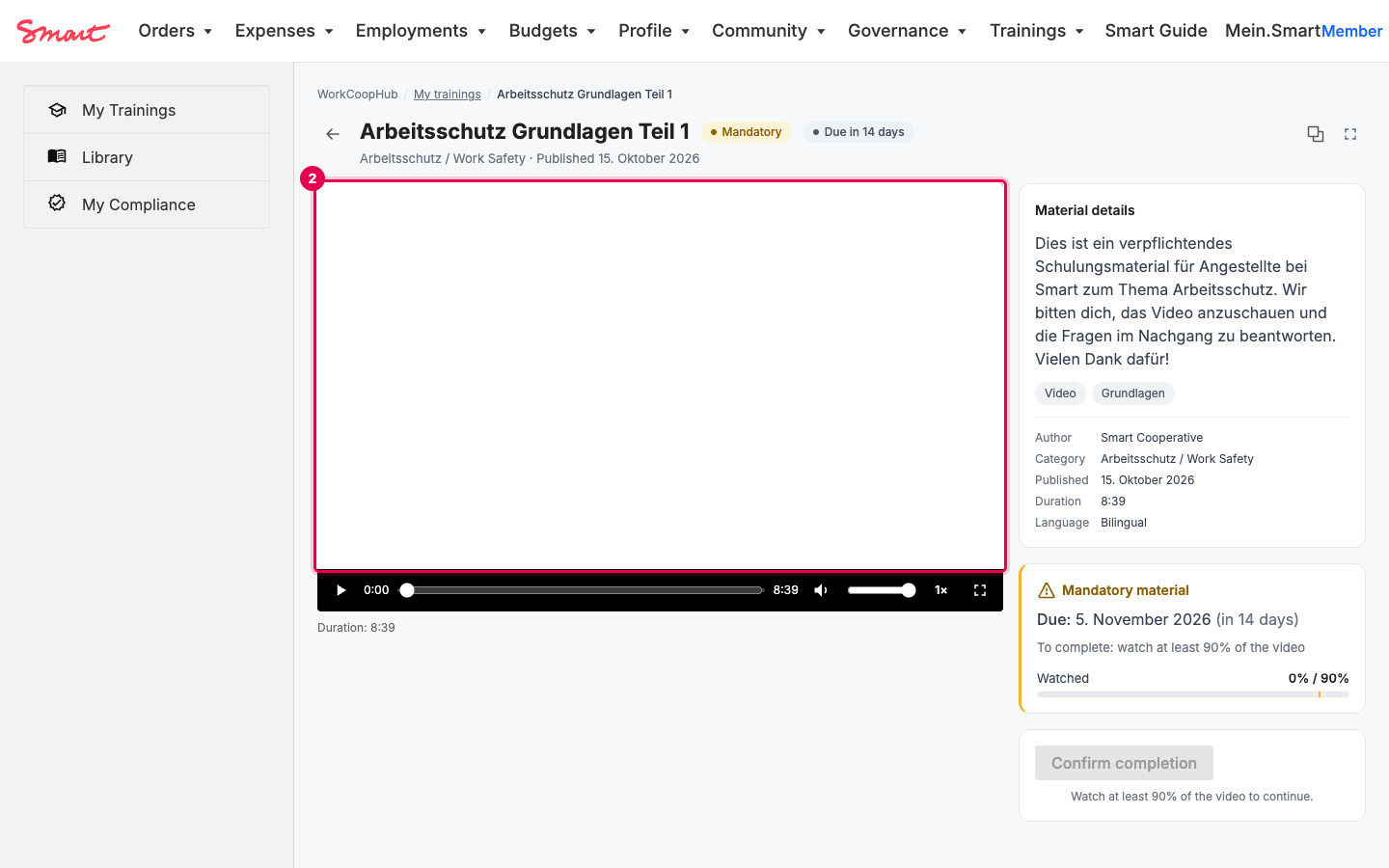
On the right, under Watched, you see how much you have watched.
You must watch at least 90% of the video. Only the parts you really watch count.
You can make the video faster with the 1× button (up to 2×).
You can stop and come back later: the portal remembers where you stopped.
Some videos end with a short knowledge check: 3 questions, answer Yes or No. When you have watched 90%, you see the button Take the knowledge check. Confirm completion stays grey until you pass the check.
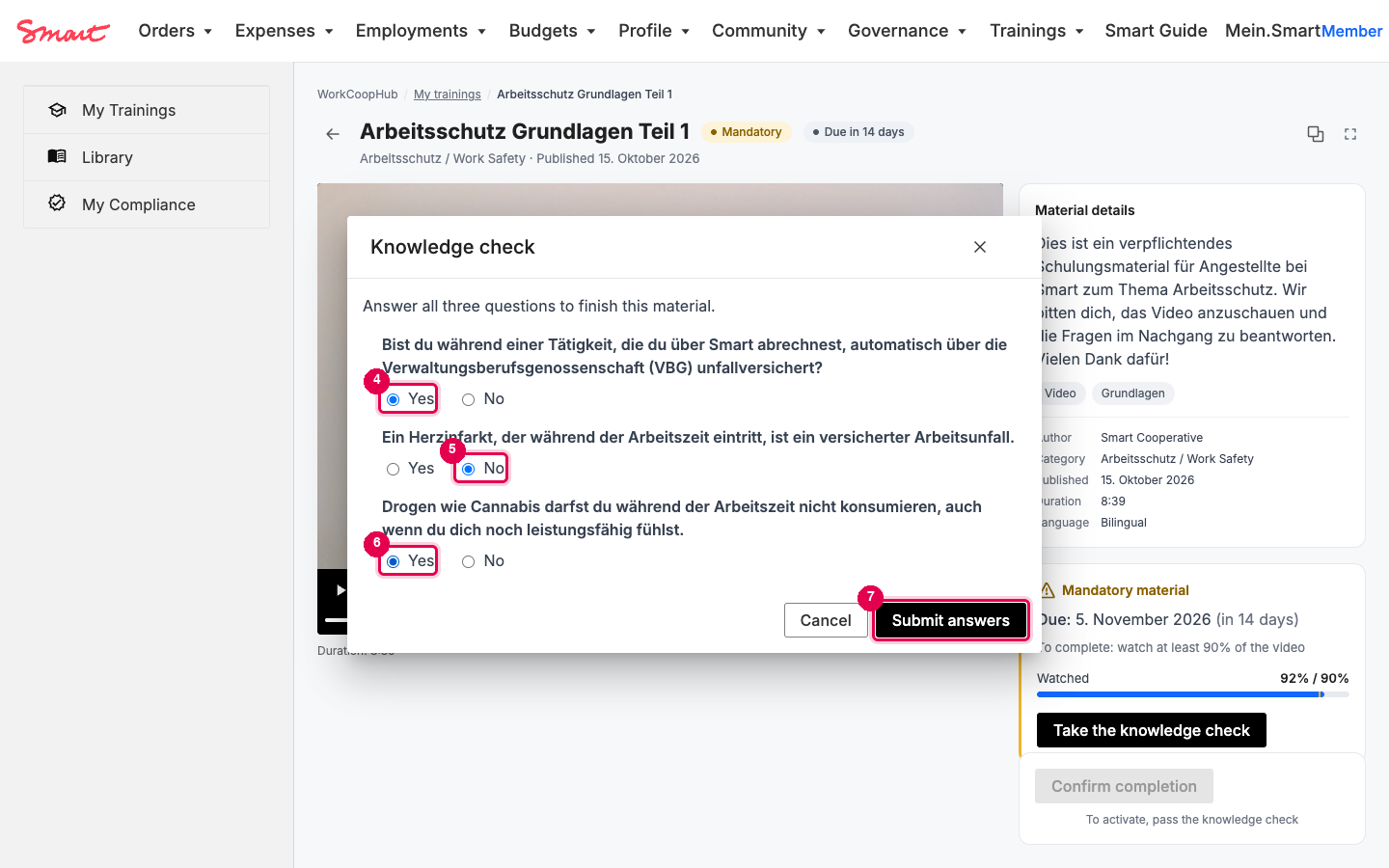
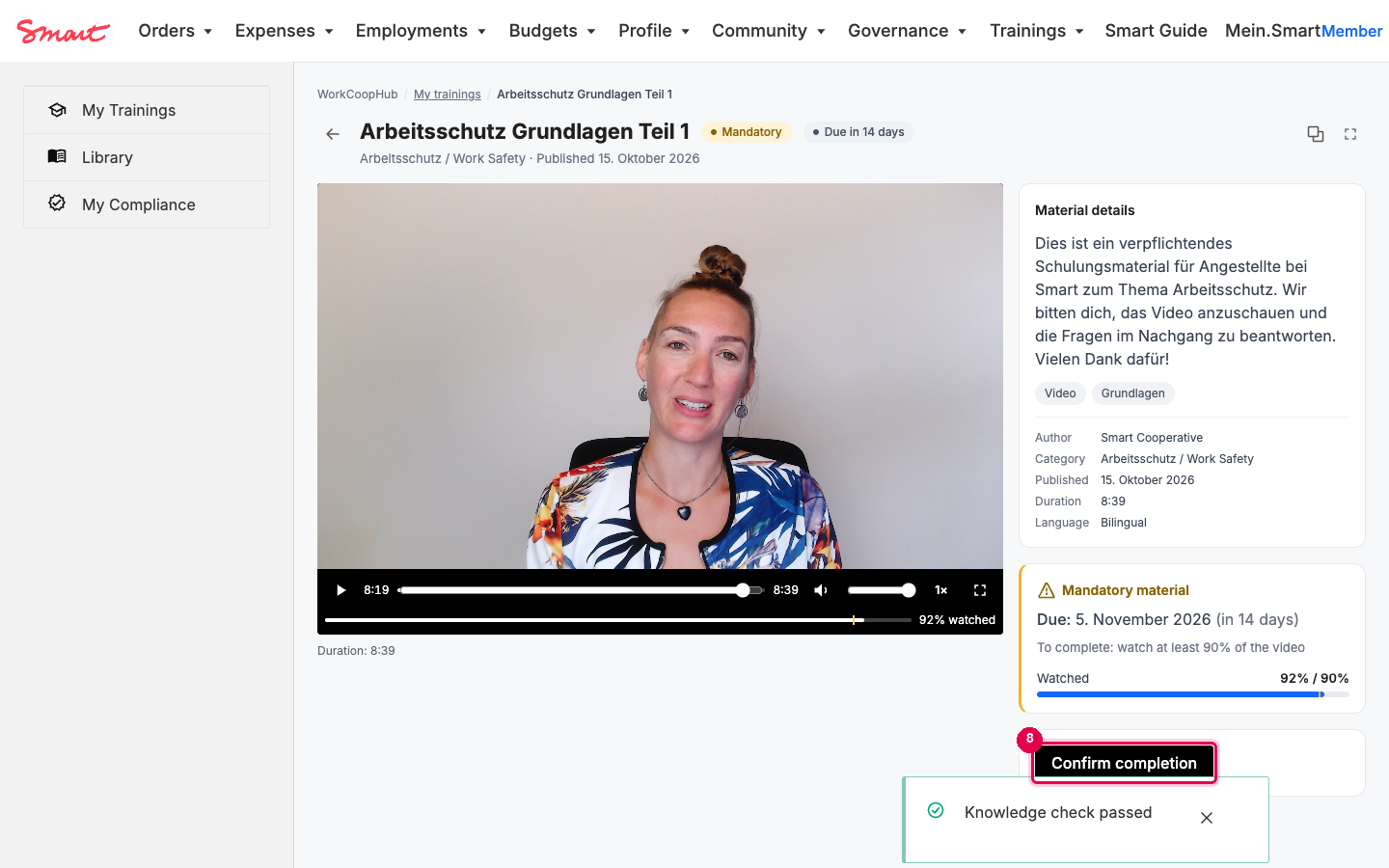
If all answers are right, you see Knowledge check passed. If an answer is wrong, you can try again.
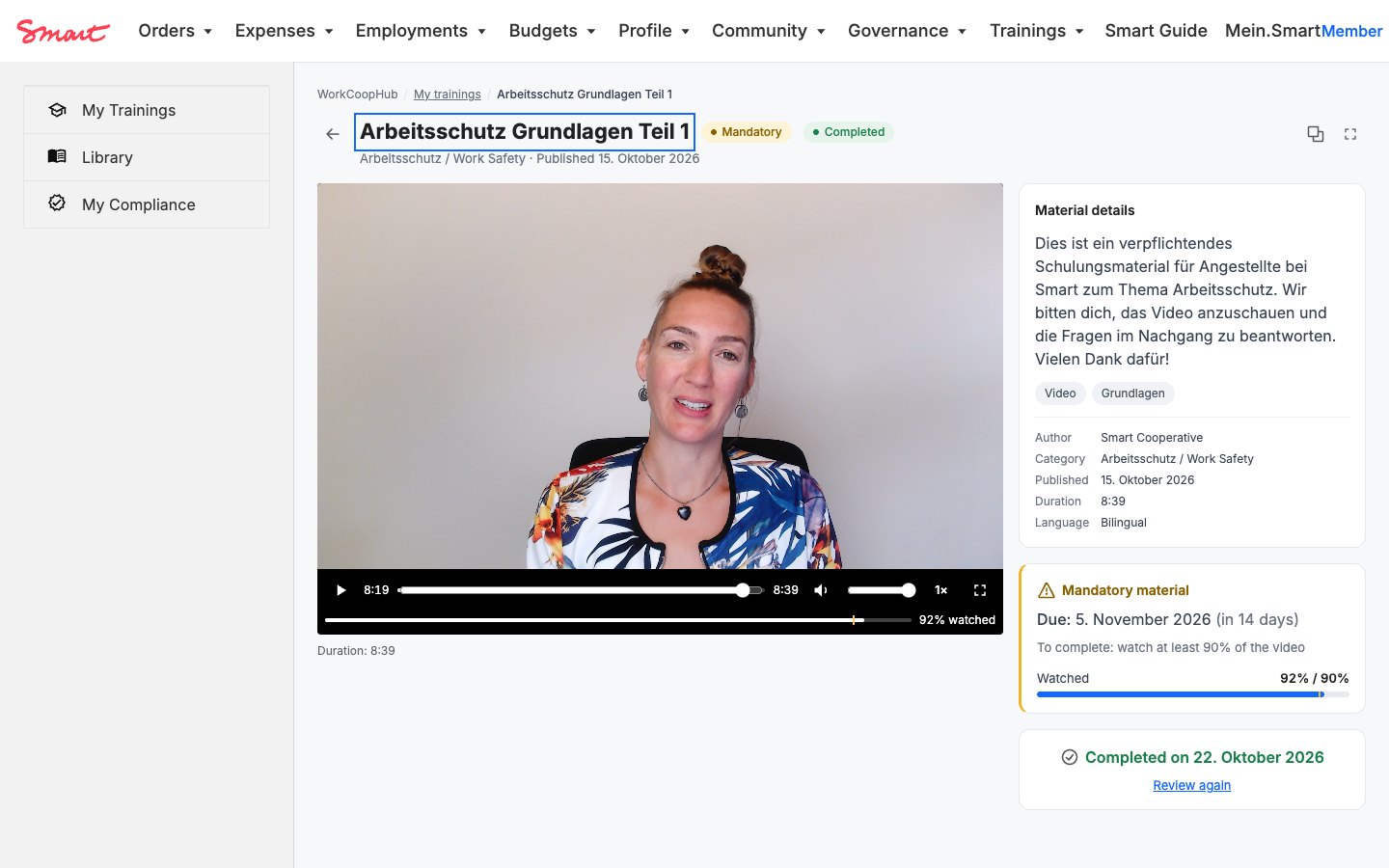
Done. On the right you now see Completed on and the date.
A video without a knowledge check works the same way: when you have watched 90%, Confirm completion becomes active right away.
When you go back to My Trainings, the materials you finished are in the Completed list, and your progress at the top goes up.