# View your employment and find documents
##### List of employments
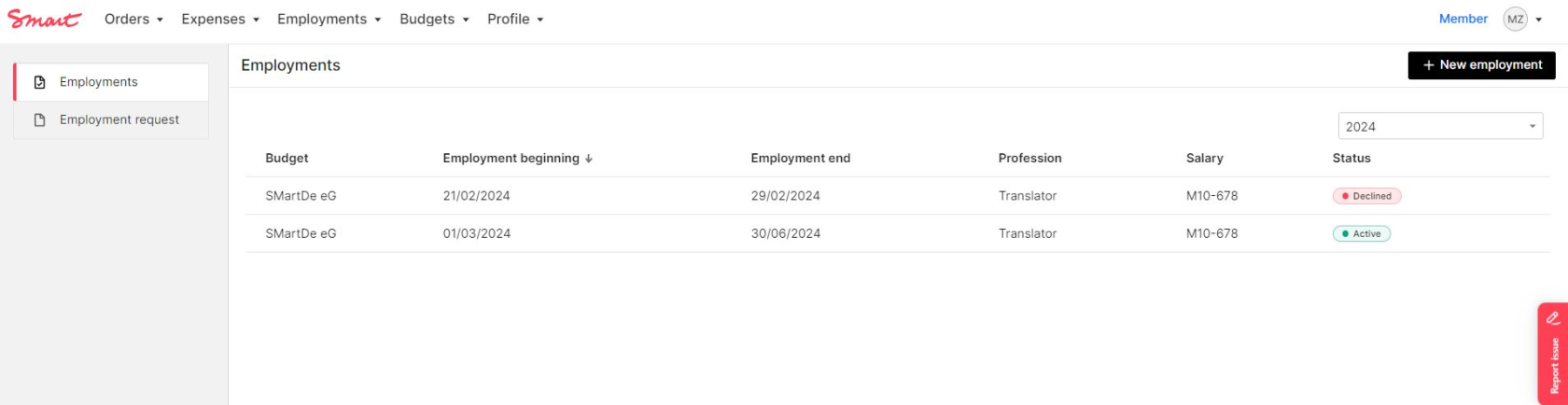
In the list of employments you will see all your current and past employment contracts with Smart. Please note that cancelled employment request are also listed.
[](https://guide.smartde.coop/en/uploads/images/gallery/2024-02/99Eimage.png)
##### View of employment and documents
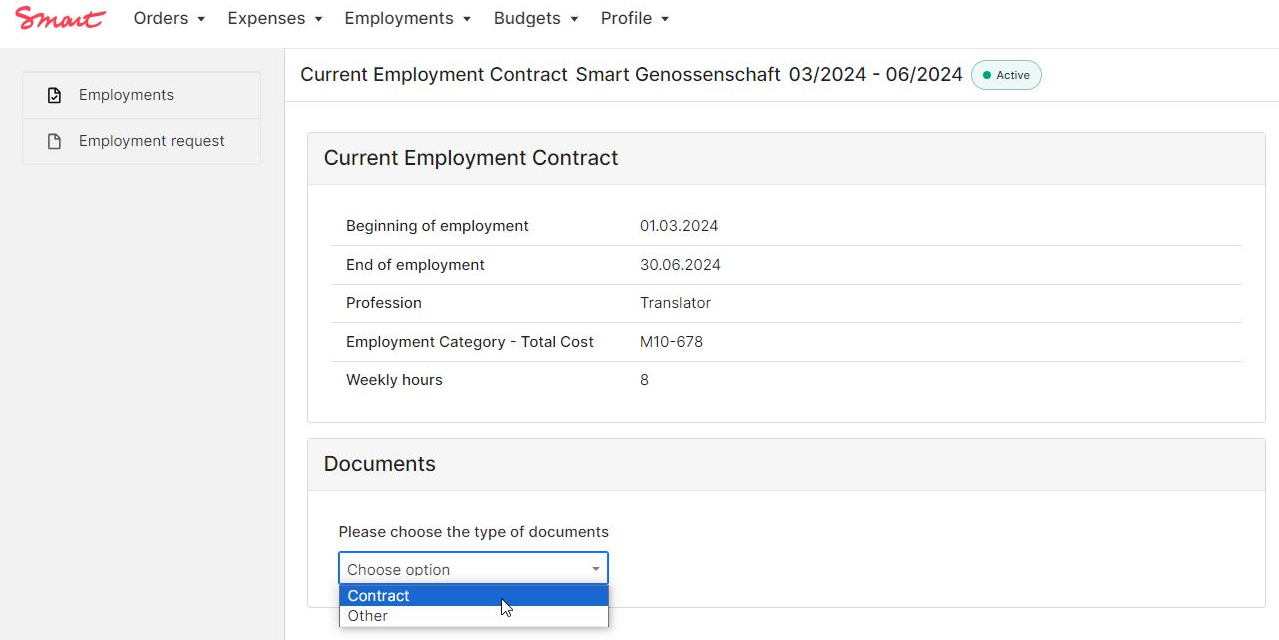
The details of an employment period can be opened by double clicking on the relevant line in the employment list. The overview shows the start and end date of the employment, the employment category, the profession as given in the contract and the weekly working hours.
Your current contract and contract changes related to this employment can be found under **Documents**. Please choose the correct category from the drop-down list.
[](https://guide.smartde.coop/en/uploads/images/gallery/2024-02/5zUimage.png)
If you have several employments at Smart (e.g. at Smart eG and Smart Bildungswerk, or if you had a longer break between two jobs, you will find the relevant documents in the respective contract period in the list)
Employment contract
- after you sign your employment contract it will appear here
For legal reasons the employment contract is only available in German.
Addendum
- Amendments to the employment contract
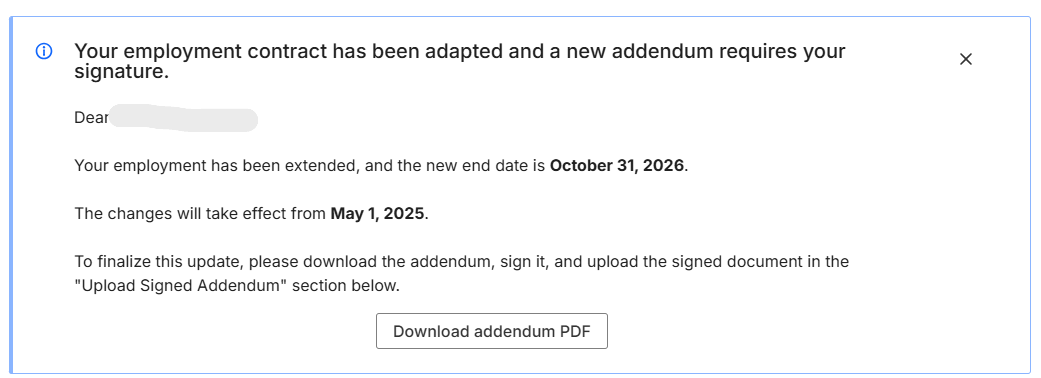
After the Smart confirmation of your employment change, you can find and download your addendum in the portal:
[](https://guide.smartde.coop/en/uploads/images/gallery/2025-05/VXiscreenshot-2025-05-20-134028.png)
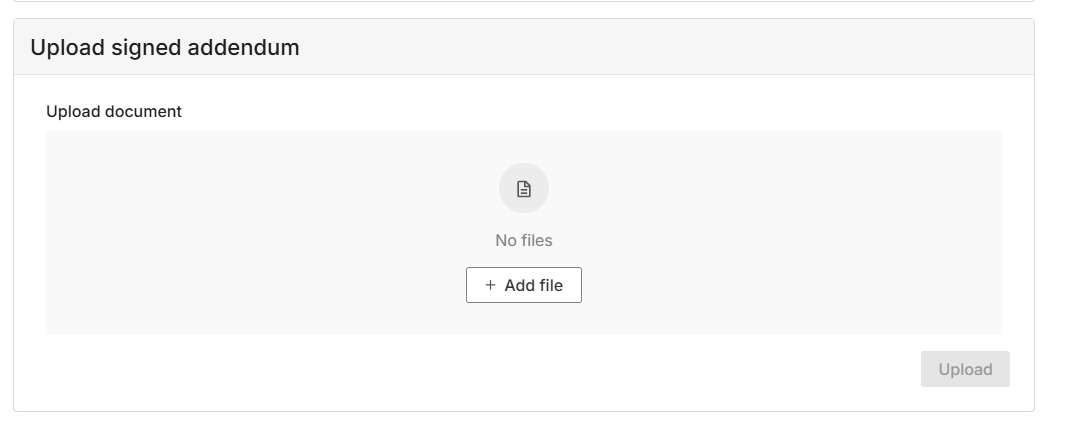
You can upload the signed contract directly in the portal:
[](https://guide.smartde.coop/en/uploads/images/gallery/2025-05/OTgscreenshot-2025-05-20-134038.png)
Pay slips
- Monthly and yearly payslips as well as other documents related to the payroll are saved in your [Mein Smart](https://guide.smartde.coop/en/books/meinsmart-and-smart-guide/page/meinsmart) folder, not in the Portal.
- Additionally, your monthly payslip will be e-mailed to you at the end of each month of employment.
Payslips are official documents stating your income. Please find out more under [Payroll.](https://guide.smartde.coop/en/books/abc-of-employment/page/payroll)
Other
- Social security registrations and deregistrations
- Confirmations of employment for other authorities (e.g. *Arbeitsbescheinigung*, *Entgeltbescheinigung*)
- Sickness notifications
- Other documents
All of these documents are saved in your [Mein.Smart](https://guide.smartde.coop/en/books/meinsmart-and-smart-guide/page/meinsmart) folder, not in the Portal.