# Requesting changes
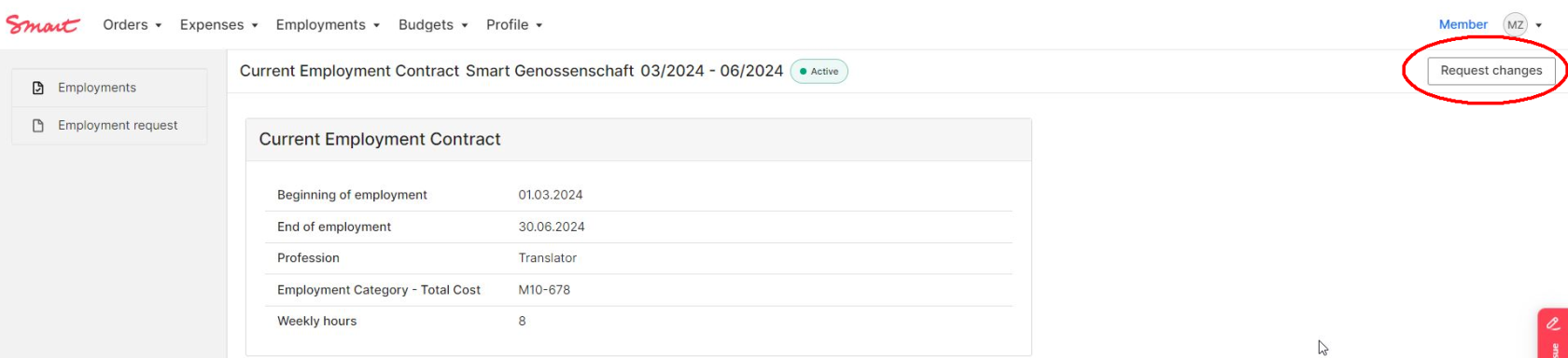
If you would like to make changes to your employment contract, you can do so by clicking on the **"Request change"** button in the employment detail view.
[](https://guide.smartde.coop/en/uploads/images/gallery/2024-02/ECzimage.png)
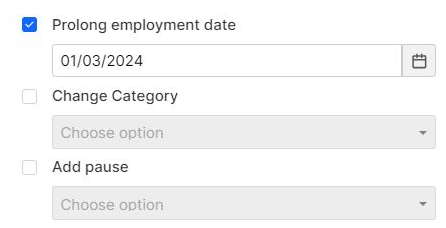
Click the checkmark in front of the respective change type to enter the desired data. Finally, you must send the form to the Smart Team by clicking the **"Send"** button. If the change is approved, you will receive your contract change ("Addendum") per e-mail. You'll also find the contract change in your [Documents](https://guide.smartde.coop/en/books/your-employment/page/view-your-employment-and-find-documents). You can view the adjusted changes in your budget overview immediately after confirmation.
[](https://guide.smartde.coop/en/uploads/images/gallery/2024-02/ZBWimage.png)
##### You can make following requests:
Prolong employment contract or change end date
Choose the new end date and you will receive an addendum to your contract after confirmation by Smart.
Please always prolong your contract via the Portal BEFORE it's end date.
Change salary / employment category
Once you have selected the category, please indicate in the **comment field** from which date the change should take effect. Please note that **changes for the current month** must be submitted **by the 10th of the month at the latest**.
You can find the employment categories here: [Employment categories](https://guide.smartde.coop/en/books/your-employment/chapter/employment-categories)
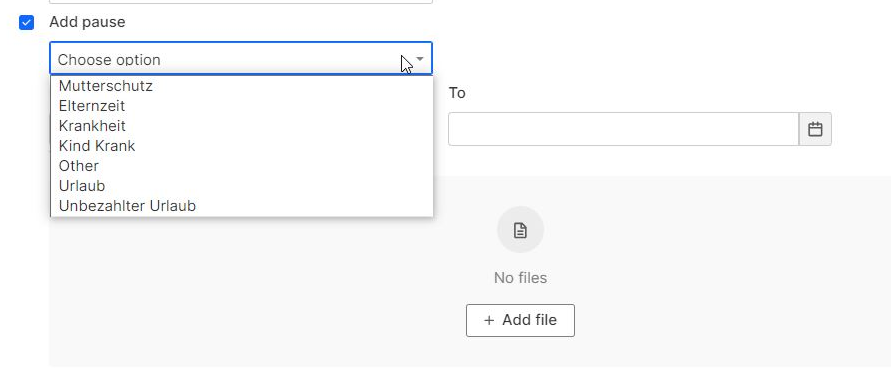
Register a leave
If you're planning a longer leave, please let us know. Details regarding the different types of leave can be found [here](https://guide.smartde.coop/en/books/abc-of-employment).
[](https://guide.smartde.coop/en/uploads/images/gallery/2024-02/TJqimage.png)
Add special payment
The special payment will be included in your next payroll, provided there is enough budget available. Special payments can include (partial) reimbursement for a Jobticket or Urban Sports Club membership, as well as overtime.
Overtime is treated like regular salary, so social security contributions and taxes will be deducted according to your employment category.
If you want to receive a bonus with your salary, select **“Other”**. Under **“Amount”**, enter the total amount you want to use from your budget. This amount will be added to your employment costs for the month. As social security contributions and taxes will be deducted, the resulting net salary will be lower than the amount entered.
If you're adding a Jobticket or USC Membership, please let us know in the comment section when it's starting. Also, don't forget to actively request the Jobticket and USC Membership (details about how do that are right [here](https://guide.smartde.coop/en/books/other-benefits)).
[](https://guide.smartde.coop/en/uploads/images/gallery/2026-09/screenshot-2026-09-10-160404.png)
Request adaptation to a previous month
Did something go wrong in the past month? Maybe you selected the wrong category or were on sick leave but forgot to mention it? Let us know!