# Smart Portal
The Smart Portal is an online portal developed by Smart Germany and Smart Austria for easy use of Smart services. The platform is constantly being developed and improved. The functions that are available through the Portal are: creating orders and invoicing, expense reimbursement, direct payments and travel expenses, budget management, employment management as well as a Community page and Cooperative Life with updates from the cooperative
# Log in
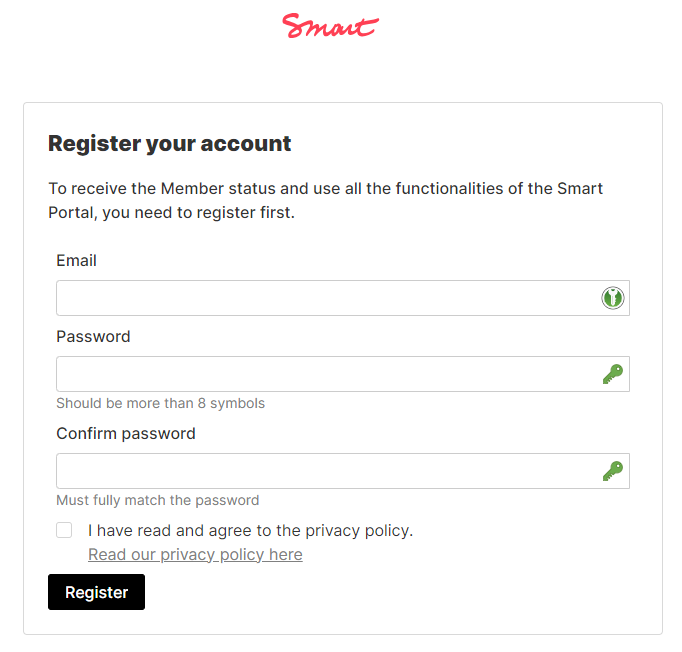
##### No Smart account yet?
First, you should register in our **[Smart Portal](https://portal.smartde.coop/entry/register).** More info on the next steps in the portal can be found [here](https://guide.smartde.coop/en/books/becoming-a-member/page/declaration-of-membership-in-the-portal).
[](https://guide.smartde.coop/en/uploads/images/gallery/2024-06/3pkimage.png)
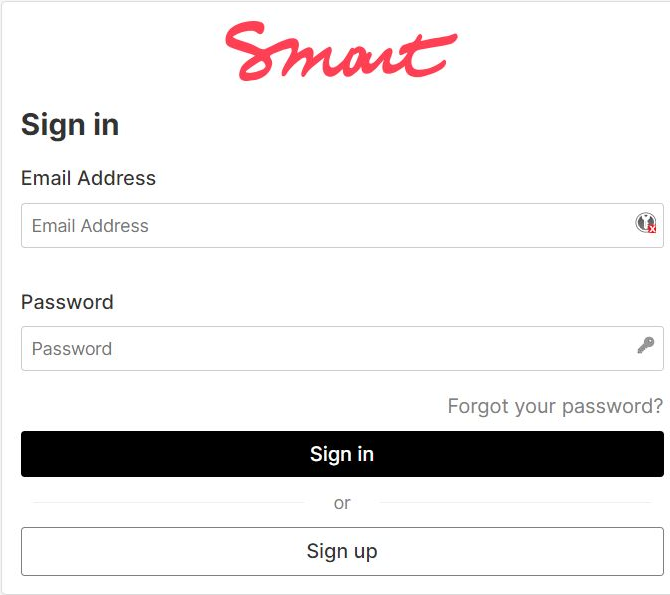
##### Logging in to your account in Smart Portal
Go to and select the [**Sign in**](https://portal.smartde.coop/) option to log in to your already existing account.
[](https://guide.smartde.coop/uploads/images/gallery/2023-11/nqiimage.png)
# Dashboard
On the dashboard, you can see a quick overview of all modules in the portal: assignments and invoices, employment contracts, the current budget status, the latest posts from the community, and recorded expenses. The individual rows can be opened with a double click. By clicking the Smart logo, you can return to the dashboard at any time.
Through the menus, you can access the specific modules where you will find more detailed lists and information.
# Settings
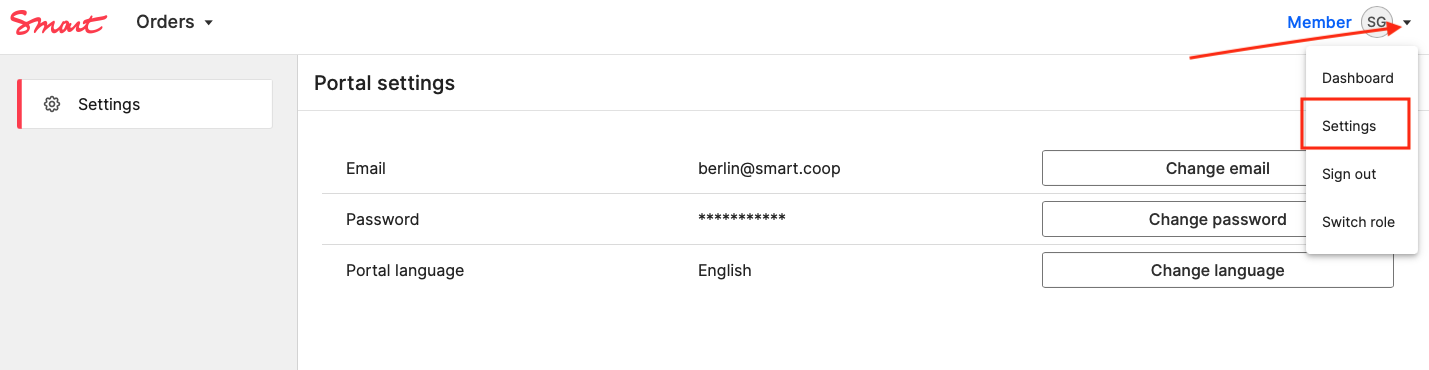
In the settings, you can change your email address and password, as well as select the language (German or English).
The settings can be found in the top right corner of the window.
Please change your password after the first login!
[](https://guide.smartde.coop/en/uploads/images/gallery/2023-08/bildschirmfoto-2023-08-15-um-13-28-42.png)
# Change of personal details
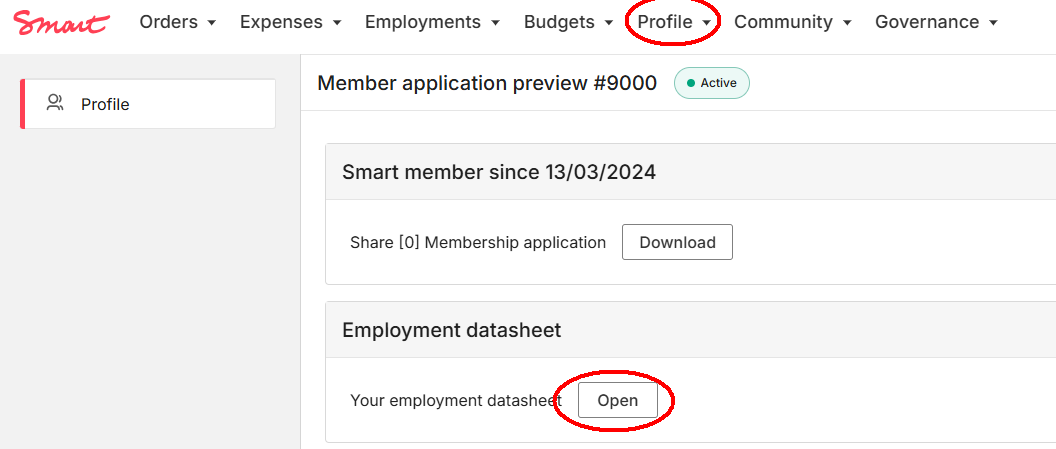
If your personal data has changed, please make sure to request an update of your profile information.
Please update your profile as soon as there are important changes in place. Only then we can make sure that your payslips and other important documents are up to date.
[](https://guide.smartde.coop/en/uploads/images/gallery/2024-11/oPtimage.png)
[](https://guide.smartde.coop/en/uploads/images/gallery/2024-11/ZPjimage.png)
Please note that all changes must be approved by Smart - we will make sure to update relevant information in our payroll system.
[](https://guide.smartde.coop/en/uploads/images/gallery/2024-11/image.png)