Managing the collective budget
General information
Collective budgets are intended for groups that work together. Each active member can create a collective budget.
For the sake of simplicity, we ask collectives to select one or more budget managers. More info below. Collective budgets cannot be used to create employment contracts, but it is possible to make budget transfers to the personal budgets of the members of the collective and create employments there.
Adding a collective budget
Go to Budgets and + Add collective budget

Select a name for the collective budget in the form and whether the budget should be created in the Smart Cooperative or the Smart Bildunsgwerk.
A collective budget must have at least 1 other member in addition to you in order to be created. To select a member, you need the member number as a 4-digit number, e.g. 0012. Discuss your joint project with the other member(s) before creating the budget.
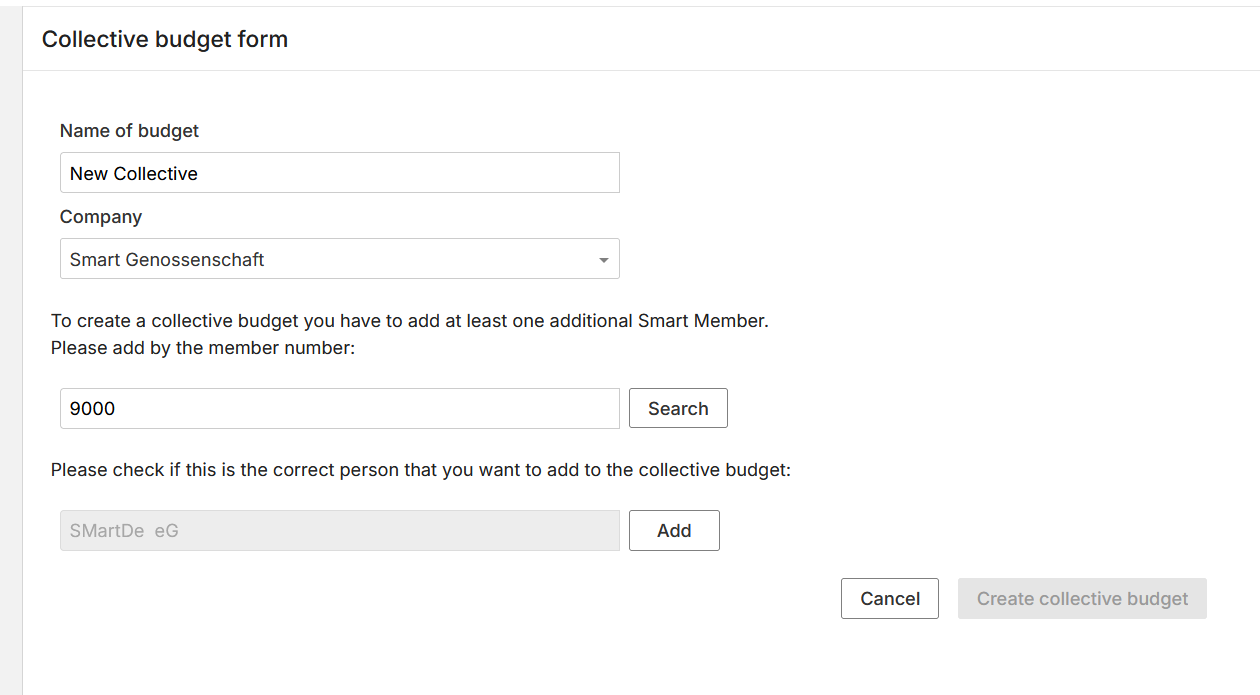
You can then check whether you have entered the correct person and add them. You can now add further budget members, or do so at a later date.
Click on Add to add a member and on Create collective budget to create the budget.
The newly added members will receive an e-mail with a confirmation link. As soon as a member has confirmed the link, the new budget will be created.
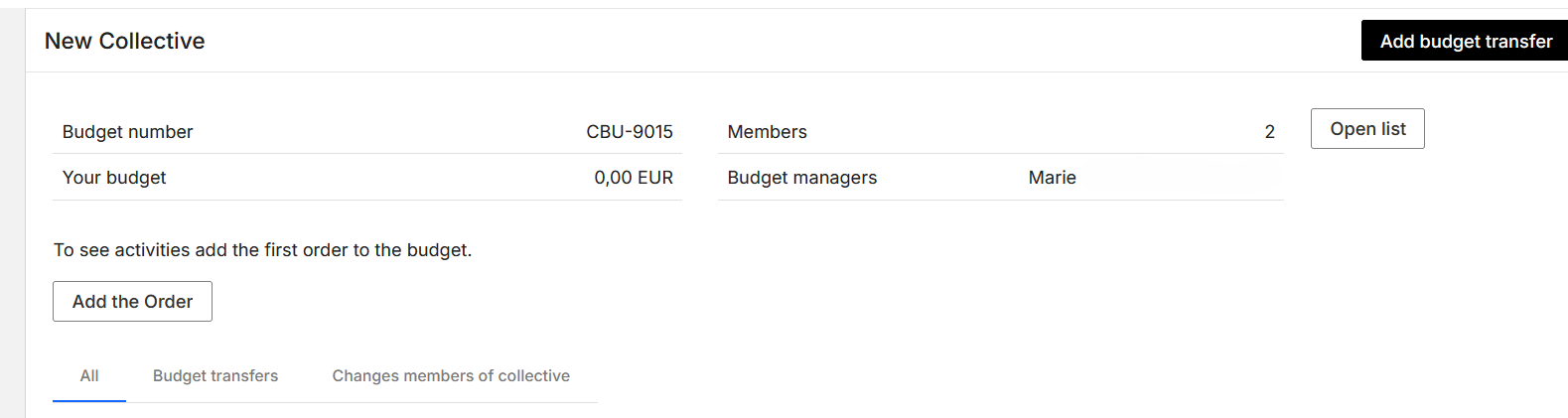
Creating orders
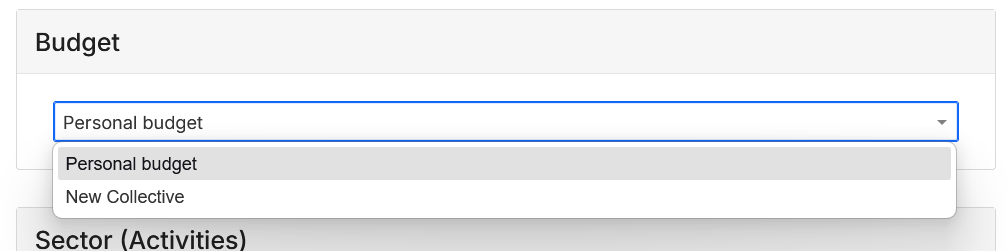
As soon as a member has confirmed the collective budget, you can create your first orders. Simply select the collective budget in the order form under Budget:
Reimbursement of expenses and budget transfers
Reimbursement of expenses, direct payments to third parties and budget transfers are possible from collective budgets. You can find more information in the Reimbursement of expenses, Direct payments and Budget transfers sections.
Roles in the collective budget:
A collective budget has up to 10 budget managers and 1 or more members.
The budget manager can manage members, create orders, submit expenses and add budget transfers.
The members can view the budget but cannot manage it. The roles can be managed in the portal by the budget manager.
Manage members of the collective:
Click on the budget and open the list of members. Members can be added and deleted here and the budget manager(s) can be changed/added.
Change budget manager
As a budget manager, you can add another member of the collective as budget manager at any time. The new budget manager will receive an email to confirm this. Open the list of members and click on the little arrow on the right side of the list.
Up to 10 members can have the role of budget manager in the collective.
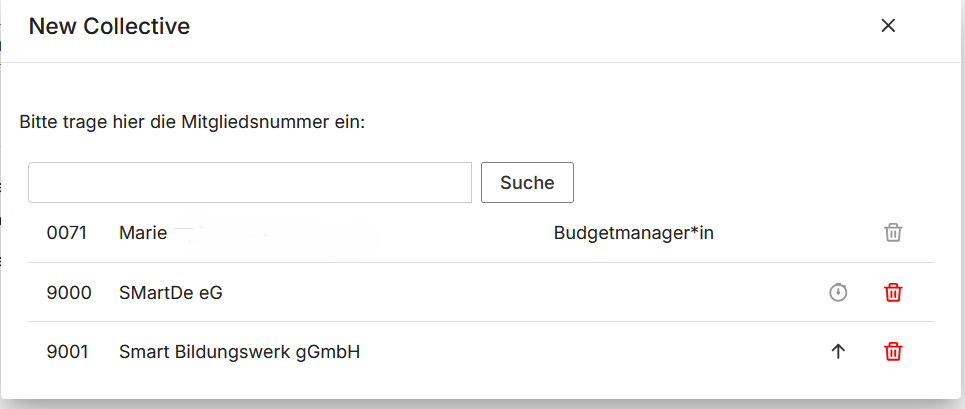
The member will receive an e-mail informing about the role change and requesting them to confirm it.